The Complete Guide to QR Codes: Versions, Security, Data Capacities, and Online Generation
From restaurant menus and boarding passes to two-factor authentication and mobile payments, Quick Response (QR) codes have become an invisible layer connecting physical environments with digital experiences.
This guide explores what QR codes are, compares them against traditional 1D barcodes, examines security risks like quishing, breaks down versions and maximum storage capacities, details common payload formats, and highlights how to generate custom QR codes using the mitos.dev QR Code Generator.
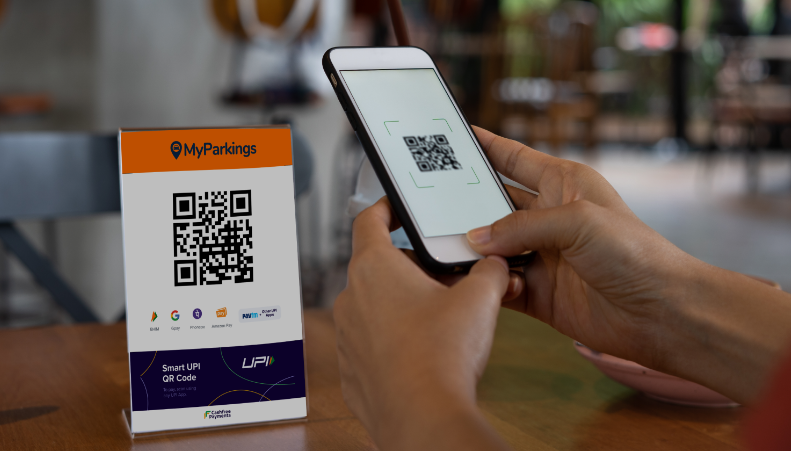
1. What is a QR Code?
A QR Code (short for Quick Response Code) is a two-dimensional (2D) matrix barcode designed to store optical data readable by digital image sensors.
+-------------------------------------------------------------+
|  +-----+  ■ ■ ■ ■ ■  ■ ■ ■ ■ ■  +-----+                     |
|  | ■ ■ |  ■       ■  ■       ■  | ■ ■ |  <- Position        |
|  | ■ ■ |  ■ ■ ■ ■ ■  ■ ■ ■ ■ ■  | ■ ■ |     Detection       |
|  +-----+  ■   ■   ■  ■   ■   ■  +-----+     Pattern         |
|  ■ ■ ■ ■  ■ ■ ■ ■ ■  ■ ■ ■ ■ ■  ■ ■ ■ ■                     |
|  ■       ■  +---+  ■  ■   ■   ■       ■                     |
|  ■ ■ ■ ■ ■  | ■ |  ■  ■ ■ ■ ■ ■  ■ ■ ■ ■  <- Alignment      |
|  +-----+    +---+    ■   ■   ■  +-----+     Pattern         |
|  | ■ ■ |  ■ ■ ■ ■ ■  ■ ■ ■ ■ ■  | ■ ■ |                     |
|  | ■ ■ |  ■       ■  ■       ■  | ■ ■ |                     |
|  +-----+  ■ ■ ■ ■ ■  ■ ■ ■ ■ ■  +-----+                     |
+-------------------------------------------------------------+
Origins & Architecture
Invented in 1994 by Masahiro Hara at Denso Wave (a subsidiary of Toyota), QR codes were originally created to track automotive parts across manufacturing assembly lines faster than traditional barcodes.
A standard QR code is composed of:
- Position Detection Patterns: Three prominent square structures located in the corners that allow optical scanners to detect the code's orientation and scale from any 360-degree angle.
- Alignment Patterns: Smaller interior squares (in larger code versions) that correct for physical curve distortions when printed on uneven surfaces.
- Timing Patterns: Alternating dark and light module lines that define the grid size coordinate system.
- Format & Version Information: Dedicated modules specifying the error correction level and data masking pattern used.
- Data & Error Correction Area: The remaining interior grid containing encoded binary payload bits and Reed-Solomon error correction codes.
2. QR Codes vs. Other Barcodes (1D vs. 2D)
Barcodes fall into two primary structural categories: 1D (Linear) and 2D (Matrix).
+-----------------------------------------------------------------------------------+
| 1D LINEAR BARCODE (Horizontal Read Only)                                          |
| ||| | || ||| || | ||| |||| | ||| | |||  ---> Data: "123456789012"                |
+-----------------------------------------------------------------------------------+
| 2D MATRIX BARCODE (Horizontal & Vertical Read)                                    |
| █▀▀▀▀▀█ ▀▀█ █ █▀▀▀▀▀█                                                             |
| █ ███ █ █ ▀ █ █ ███ █                   ---> Data: Complete URLs,                 |
| █ ▀▀▀ █ ▀ ▀ █ █ ▀▀▀ █                        vCards, Wi-Fi configs,               |
| ▀▀▀▀▀▀▀ ▀ █ ▀ ▀▀▀▀▀▀▀                        or binary payloads                   |
+-----------------------------------------------------------------------------------+
Key Differences:
| Feature | 1D Barcodes (UPC, EAN, Code 128) | 2D Barcodes (QR, Data Matrix, PDF417) |
|---|---|---|
| Scanning Dimensions | Single axis (Horizontal only) | Dual axes (Horizontal and Vertical) |
| Data Capacity | Low (Typically 20 to 30 characters) | High (Up to 7,089 numeric or 2,953 bytes) |
| Physical Size | Scales wider as data increases | Compact, square grid layout |
| Error Tolerance | None to minimal | High (Can repair up to 30% damaged data) |
| Dependency | Requires external database lookup | Stores complete standalone data payloads |
| Scan Speed | Requires precise line alignment | Fast 360-degree omnidirectional reading |
While a 1D supermarket barcode only contains an identification number pointing to an external pricing database, a 2D QR code can store an entire website URL, contact card, or geographic coordinate directly inside its printed matrix.
3. Advantages, Disadvantages, and Security Considerations
Advantages
- High Data Density: Encodes complex payloads in minimal physical space.
- Fault Tolerance: Built-in Reed-Solomon error correction allows codes to remain scannable even if smudged, torn, or partially covered by a logo.
- No Licensing Fees: Denso Wave holds the patent rights but chose to release the standard for public use free of charge.
- Universal Hardware Support: Modern iOS and Android camera apps read QR codes natively without requiring third-party software.
Disadvantages
- Human Unreadability: Humans cannot inspect raw QR codes visually to know their content before scanning.
- Requires Camera Hardware: Scanners rely on functional optical sensors and adequate ambient lighting.
Security Risks: Understanding "Quishing"
Because users cannot visually read encoded text, attackers exploit QR codes through Quishing (QR Code Phishing):
- Physical Sticker Overlays: Attackers place fraudulent QR code stickers over legitimate public codes (e.g., parking meters, restaurant payment displays) to redirect users to credential-harvesting landing pages.
- Malicious Payload Delivery: QR codes can initiate unexpected actions, such as downloading malicious
.apkfiles, prompting automatic Wi-Fi connections, or initiating unauthorized wire transfers.
Security Best Practices: Always preview the destination URL in your browser before proceeding, avoid scanning unsanctioned physical stickers in public places, and verify SSL certificates on landing pages.
4. Common Data Formats Stored in QR Codes
QR codes use standardized text schemas to trigger automated actions on mobile devices:
- Website URLs: Directs browsers to open a webpage.
[https://mitos.dev/tools/qrcode-generator](https://mitos.dev/tools/qrcode-generator)
2. **vCard (Digital Contact Card):** Imports contacts directly into address books.
```text
BEGIN:VCARD
VERSION:3.0
N:Doe;John
FN:John Doe
TEL:+1234567890
EMAIL:john@example.com
END:VCARD
- Wi-Fi Network Access: Automatically configures local wireless connections.
WIFI:S:MyHomeNetwork;T:WPA;P:SecretPassword123;;
- Email / SMS Commands: Pre-populates recipient fields and message body text.
MATMSG:TO:support@example.com;SUB:Help Needed;BODY:Hello team;;
- Cryptocurrency Addresses: Directs wallet apps to recipient public keys.
bitcoin:1A1zP1eP5QGefi2DMPTfTL5SLmv7DivfNa?amount=0.01
5. Practical Real-World Use Cases
- Contactless Payments: Systems like QRIS, Alipay, WeChat Pay, and SEPA allow instant peer-to-peer and merchant transactions.
- Two-Factor Authentication (2FA): Authenticator apps (e.g., Google Authenticator, Authy) scan TOTP seed URIs (
otpauth://) to configure secret keys. - Inventory & Supply Chain: Warehouses scan items rapidly to update live stock levels in ERP systems.
- Event Ticketing: Electronic tickets embed cryptographically signed token strings to prevent ticket duplication at venue gates.
6. Types of QR Code Readers
- Native Mobile OS Cameras: Built-in camera applications on modern iOS and Android operating systems identify and decode QR payloads automatically.
- Hardware Imager Scanners: 2D handheld laser/CCD scanners used in retail POS terminals, logistics hubs, and airport boarding gates.
- Web-Based Optical Scanners: Browser utilities using WebRTC camera streams and WebAssembly/JavaScript libraries (e.g.,
zxing,jsQR) to decode codes on desktop devices.
7. QR Code Versions and Data Capacities
QR code sizing is defined by Versions, ranging from Version 1 up to Version 40:
- Version 1: $21 \times 21$ modules (grid cells).
- Version Increment: Every increase in version adds 4 modules per side ($41 \times 4$ modules increment per side).
- Version 40: $177 \times 177$ modules.
+-----------------------------------------------------------------------------------+
| ERROR CORRECTION LEVELS (Reed-Solomon)                                            |
+----------------------+------------------------------------------------------------+
| Level L (Low)        | Recovers up to ~7% missing or damaged data.                |
| Level M (Medium)     | Recovers up to ~15% missing or damaged data.               |
| Level Q (Quartile)   | Recovers up to ~25% missing or damaged data.               |
| Level H (High)       | Recovers up to ~30% data (ideal for embedding logos).     |
+----------------------+------------------------------------------------------------+
Maximum Storage Capacity (Version 40, Error Correction Level L)
The maximum amount of data a single Version 40 QR code can store depends on the encoding mode used:
| Data Type / Mode | Character Set Allowed | Maximum Data Capacity |
|---|---|---|
| Numeric Only | $0 - 9$ | 7,089 digits |
| Alphanumeric | $0-9$, $A-Z$, space, $, %, *, +, -, ., /, : |
4,296 characters |
| Byte / Binary (8-bit) | ISO-8859-1 / UTF-8 binary streams | 2,953 bytes |
| Kanji / Kana | Shift JIS character set | 1,817 characters |
Note: Choosing a higher Error Correction level (e.g., Level H) reduces the maximum raw payload capacity because more module space is dedicated to redundancy parity bits.
8. Generate QR Codes Online with Mitos.dev
Whether you need to generate a digital business card, share Wi-Fi credentials with guests, or direct customers to a website, creating high-resolution vector QR codes takes only a few seconds.
Use the free interactive generator:
👉 QR Code Generator Tool on mitos.dev
+-----------------------------------------------------------------------------------+
| MITOS.DEV QR GENERATOR WORKFLOW                                                   |
|                                                                                   |
| [ Select Type ] ---> [ Input Payload Data ] ---> [ Customize & Download SVG/PNG ] |
|                                                                                   |
|                       🔒 100% Client-Side Generation                             |
+-----------------------------------------------------------------------------------+
Key Features:
- 100% Client-Side Privacy: All optical matrix calculations run locally in your browser. Your sensitive Wi-Fi passwords, contact cards, and URLs are never uploaded or stored on any server.
- Multiple Payload Templates: Easily build formatted Wi-Fi, vCard, URL, Email, SMS, or plain text codes.
- Customizable Styling & Error Correction: Choose between L, M, Q, or H error correction levels and adjust module colors for branding needs.
- Scalable Vector Export: Download crisp SVG or high-density PNG files suitable for print media, posters, or web publishing.
QR codes remain one of the most effective, versatile, and high-density methods for bridging physical touchpoints with digital services. Understanding error correction thresholds, payload schemas, and security measures ensures you build safe, reliable, and accessible user experiences.
Create customizable, high-resolution QR codes directly in your browser using the mitos.dev QR Code Generator!