Protocol Buffers (Protobuf): Complete Guide, Schema Design, and C Implementation
In high-performance applications, microservices, and network protocols, data serialization efficiency is critical. While textual formats like JSON and XML are human-readable and flexible, they introduce significant overhead in payload size, bandwidth consumption, and CPU parsing time.
Protocol Buffers (commonly known as Protobuf) is Google's language-neutral, platform-neutral, extensible mechanism for serializing structured data. It packs structured data into a compact binary format that is dramatically smaller and faster to process than JSON or XML.
This comprehensive guide covers how Protobuf works, its core benefits, how to define .proto schemas, how to compile schemas using the protoc compiler, a complete C source code implementation example, and how to use online tools to decode binary payloads.
1. What is Protocol Buffers (Protobuf)?
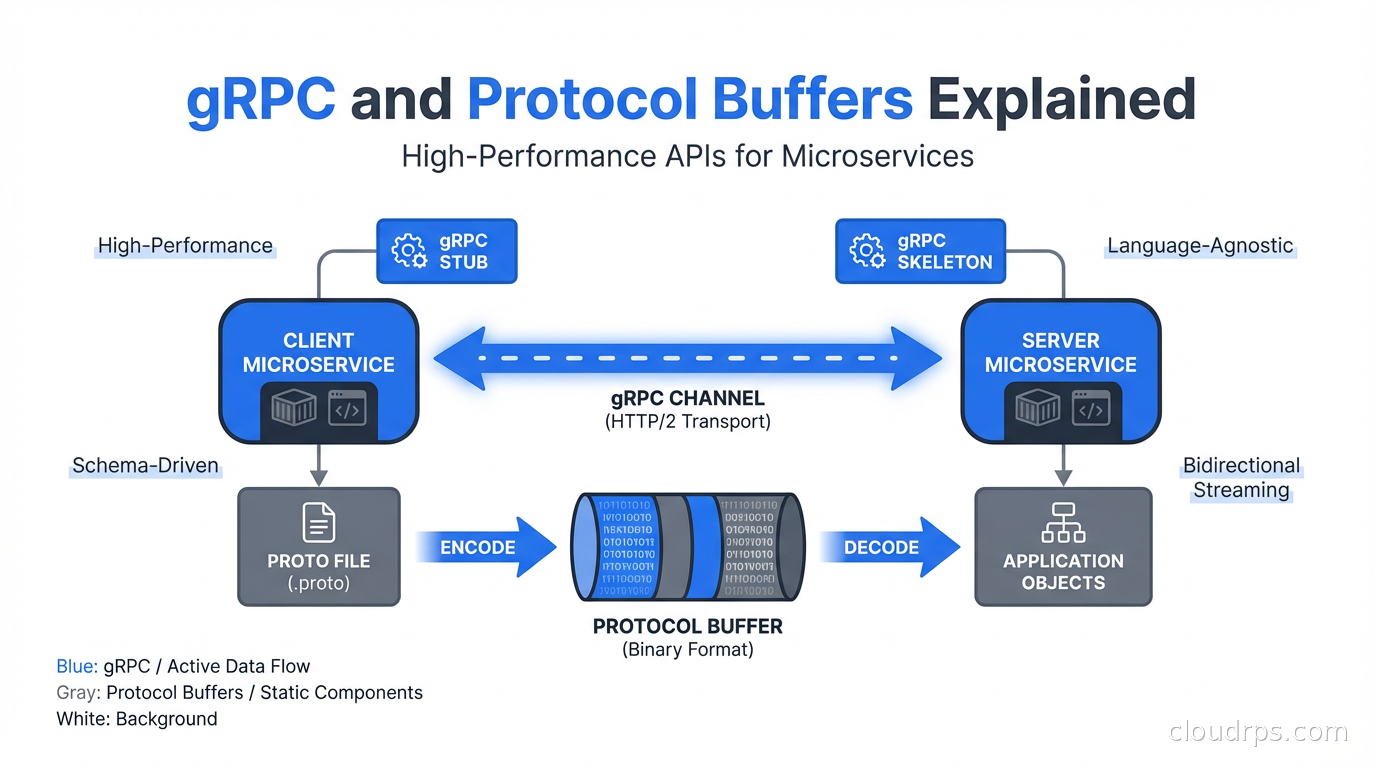
Protocol Buffers is a binary serialization format coupled with an Interface Definition Language (IDL). Developed internally by Google and later open-sourced, Protobuf allows developers to define message structures once in a .proto file and automatically generate source code in various programming languages (C, C++, Java, Python, Go, Rust, C#, and more).
Unlike JSON, which sends field names repeatedly in key-value pairs (e.g., "username": "john"), Protobuf strips away field names during transmission. Instead, it relies on integer field tags defined in a shared schema to identify data points, resulting in minimal payload sizes.
+-------------------------------------------------------------------------+
|                              DATA COMPARISON                            |
+-------------------------------------------------------------------------+
| JSON Text Payload (~55 Bytes):                                          |
| {"id":12345, "name":"Alice", "email":"alice@example.com"}              |
|                                                                         |
| Protobuf Binary Payload (~28 Bytes):                                    |
| 08 39 12 05 41 6c 69 63 65 1a 11 61 6c 69 63 65 40 65 78 61 6d 70 6c 65  |
+-------------------------------------------------------------------------+
2. Key Advantages of Using Protobuf
Ultra-Compact Payload Size:
By omitting field names and encoding numbers into variable-length integers (varints), Protobuf messages are typically 3x to 10x smaller than JSON equivalents.Extremely Fast Parsing Performance:
Decoding binary Protobuf data requires simple bit-shifting and direct memory operations rather than complex string parsing, making it 2x to 100x faster to serialize and deserialize than JSON or XML.Strict Schema & Type Safety:
Data structures are governed by explicit.protoschemas. Generated code ensures type safety at compile-time, preventing runtime data format bugs.Backward and Forward Compatibility:
Protobuf natively supports evolving schemas. You can add or deprecate fields without breaking existing deployed client/server versions.Cross-Language Code Generation:
Write a single.protofile and generate native stubs for diverse backend services, enabling seamless multi-language microservice communication (such as gRPC).
3. Designing a Protobuf Schema (.proto Syntax)
Protobuf schemas are written in text files with the .proto extension using proto3 syntax (the current recommended standard version).
Example Schema File: person.proto
syntax = "proto3";

package tutorial;

// Enumeration for user status
enum UserStatus {
  UNKNOWN = 0;
  ACTIVE = 1;
  SUSPENDED = 2;
}

// User Profile Message Structure
message Person {
  string name = 1;           // Field tag 1
  int32 id = 2;              // Field tag 2
  string email = 3;          // Field tag 3
  UserStatus status = 4;     // Field tag 4
  repeated string tags = 5;  // Repeated field (list/array)
}
Understanding Schema Syntax Rules
syntax = "proto3";: Specifies that the file uses Proto3 syntax.package tutorial;: Avoids naming collisions across different proto schemas.- Field Tags (
= 1,= 2): The numbers assigned to fields are field numbers/tags. These tags are used to identify fields in the binary format.- Tags
1through15take 1 byte to encode (use these for frequently occurring fields). - Tags
16through2047take 2 bytes. - Never change a field number after deploying a schema to production!
- Tags
repeated: Represents an array or list of values.
4. Compiling Schemas with the protoc Compiler
The protoc (Protocol Buffer Compiler) reads .proto files and generates source code files in your targeted programming language.
Step 1: Installing protoc
- Ubuntu / Debian:
sudo apt-get install protobuf-compiler - macOS (Homebrew):
brew install protobuf
Step 2: Generating Language Bindings
To compile person.proto into code for various languages:
# Generate C++ headers and source files (.pb.cc, .pb.h)
protoc --cpp_out=. person.proto

# Generate Python code (_pb2.py)
protoc --python_out=. person.proto

# Generate Go code (.pb.go)
protoc --go_out=. person.proto
For standard C support, the protobuf-c plugin (protoc-c) is commonly used alongside protoc.
5. Source Code Implementation Example in C
To work with Protocol Buffers in pure C applications (such as embedded systems, IoT devices, or high-performance C daemons), we use protobuf-c.
Prerequisites
Install protobuf-c compiler and library:
# Ubuntu/Debian
sudo apt-get install libprotobuf-c-dev protobuf-c-compiler
Step 1: Generate C Files from .proto
Compile person.proto using protoc-c:
protoc-c --c_out=. person.protoThis generates two files: person.pb-c.h and person.pb-c.c.
Step 2: C Source Code (main.c)
Here is a complete C program that initializes a Person struct, serializes it to a binary buffer, and then deserializes it back to print the data.
#include <stdio.h>
#include <stdlib.h>
#include <string.h>
#include "person.pb-c.h"

int main() {
    // 1. Initialize and populate the C struct
    Tutorial__Person person = TUTORIAL__PERSON__INIT;
    person.name = "Alice";
    person.id = 12345;
    person.email = "alice@example.com";
    person.status = TUTORIAL__USER_STATUS__ACTIVE;

    // 2. Determine required buffer size for serialization
    size_t packed_size = tutorial__person__get_packed_size(&person);
    uint8_t *buffer = malloc(packed_size);

    if (!buffer) {
        perror("Failed to allocate buffer");
        return EXIT_FAILURE;
    }

    // 3. Serialize struct to binary buffer
    tutorial__person__pack(&person, buffer);
    printf("Serialized Protobuf Binary Size: %zu bytes
", packed_size);

    // Print raw hexadecimal binary output
    printf("Binary Bytes: ");
    for (size_t i = 0; i < packed_size; i++) {
        printf("%02X ", buffer[i]);
    }
    printf("

");

    // 4. Deserialize binary buffer back into C struct
    Tutorial__Person *unpacked_person = tutorial__person__unpack(NULL, packed_size, buffer);

    if (unpacked_person == NULL) {
        fprintf(stderr, "Error unpacking binary buffer!
");
        free(buffer);
        return EXIT_FAILURE;
    }

    // 5. Access deserialized values
    printf("--- Deserialized Protobuf Data ---
");
    printf("Name  : %s
", unpacked_person->name);
    printf("ID    : %d
", unpacked_person->id);
    printf("Email : %s
", unpacked_person->email);
    printf("Status: %d
", unpacked_person->status);

    // 6. Free memory
    tutorial__person__free_unpacked(unpacked_person, NULL);
    free(buffer);

    return EXIT_SUCCESS;
}
Compiling and Running the C Example
# Compile using GCC with libprotobuf-c
gcc -o person_demo main.c person.pb-c.c -lprotobuf-c

# Run executable
./person_demo
6. Interactive Experiment: Decode Protobuf Payloads Online
Because Protocol Buffers are compiled into raw binary data, reading or debugging raw incoming bytes without a schema file can be tricky.
To inspect, decode, and reverse-engineer raw Protobuf binary streams or generate .proto schemas directly in your browser, check out our online tool:
👉 Protobuf Decoder & Schema Generator Tool
Using this web tool, you can:
- Paste hexadecimal or Base64 binary Protobuf strings to decode wire types and field tag values.
- Automatically generate a reconstructive
.protoschema from raw binary payloads. - Test custom field mappings during development without compiling local code.
7. Protobuf Schema Evolution Best Practices
To maintain smooth backward and forward compatibility as your API evolves:
- Never Change Field Tags: The tag integer is the unique identifier for data. Changing tag numbers corrupts historical or active data streams.
- Do Not Delete Field Numbers: If a field is retired, mark it as
reservedto prevent developers from accidentally reusing the field tag in the future:message Person { reserved 3, 7 to 10; reserved "old_email"; } - Use Proto3 Default Values: In Proto3, non-present fields automatically default to zero values (e.g.,
0for numbers, empty string""for strings), optimizing wire size.
Conclusion
Protocol Buffers offer an unbeatable combination of speed, compact binary representation, and strict schema validation. Whether you are building high-throughput backend services with gRPC, optimizing mobile app bandwidth, or writing low-power IoT firmware in C, Protobuf is a top-tier choice for data serialization.
Test and decode your raw Protobuf data today using the Protobuf Decoder Tool on mitos.dev!