Understanding Graphics APIs in C: Low-Level OS Access, Hardware Acceleration, and Rendering Pipelines
Every 3D video game, graphical user interface (GUI), desktop window manager, and digital image processing application relies on hardware-accelerated graphics. But silicon GPU hardware cannot interpret abstract concepts like "draw a square" or "render a 3D character" on its own.
A Graphics API serves as the software translation bridge between high-level application logic and the low-level processing units of a GPU. Because C provides direct memory manipulation, pointer arithmetic, and zero-overhead performance, it remains the foundational language used to define, interface with, and drive modern graphics hardware.
This guide explores what a Graphics API is, how C applications interact with operating system drivers and GPU hardware, compares major graphics standards, outlines core API subsystems, presents a practical C rendering implementation using canvas.h, and demonstrates real-time C graphics generation using the mitos.dev Canvas CGI Renderer.
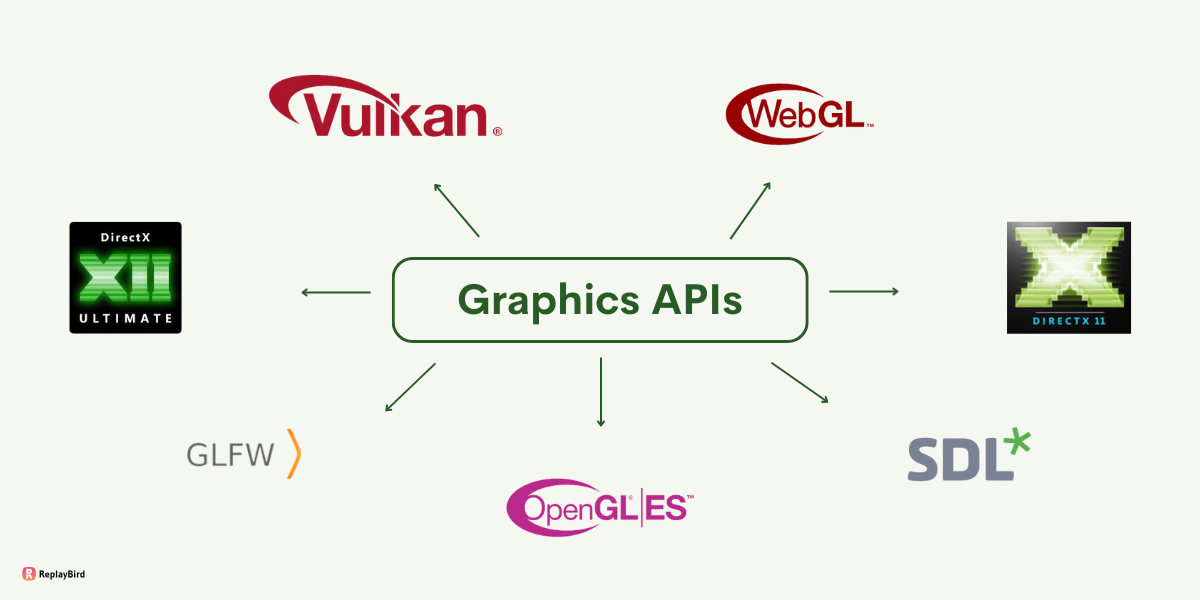
1. What is a Graphics API?
A Graphics Application Programming Interface (Graphics API) is a standardized set of software functions, data structures, and command queues that allow software programs to command the Graphics Processing Unit (GPU) to perform rasterization, ray tracing, matrix transformations, and pixel rendering.
+-----------------------------------------------------------------------------------+
| THE GRAPHICS ABSTRACTION LAYER                                                    |
|                                                                                   |
| [ C Application Code ] ---> [ Graphics API (OpenGL/Vulkan) ] ---> [ GPU Hardware ]|
|   (Logic & Geometry)             (Function Calls & Commands)       (Pixel Output) |
+-----------------------------------------------------------------------------------+
Why C is the Lingua Franca of Graphics APIs
Virtually every modern Graphics API—whether OpenGL, Vulkan, or platform-native display drivers—exposes its core API bindings as a native C Application Binary Interface (C ABI):
- Zero Abstraction Overhead: C function calls translate directly into machine code jump instructions without language runtime overhead.
- Explicit Pointer Control: Rendering requires transferring megabytes of raw vertex, texture, and index arrays into Video RAM (VRAM). C pointers allow direct memory mapping into GPU-accessible memory addresses.
- Universal Interoperability: Languages like C++, Rust, Python, C#, and Java bind to low-level graphics drivers using C header files (
.h) and dynamically linked libraries (.so,.dll,.dylib).
2. How Graphics APIs Work in C Applications (Low-Level OS Access)
To render a frame, a C application must cross multiple boundary layers—from high-level user space code down through the operating system kernel and physical GPU hardware.
+-----------------------------------------------------------------------------------+
| USER SPACE                                                                        |
|  +-----------------------------------------------------------------------------+  |
|  | C Application Code (Game engine / CAD / GUI framework)                         |
|  +-----------------------------------------------------------------------------+  |
|                                         |                                         |
|                                         v                                         |
|  +-----------------------------------------------------------------------------+  |
|  | Graphics API Loader / Function Pointers (e.g., glad, libGL, libvulkan)      |  |
|  +-----------------------------------------------------------------------------+  |
+-----------------------------------------------------------------------------------+
| KERNEL SPACE (Operating System)                                                   |
|  +-----------------------------------------------------------------------------+  |
|  | Display Server / Subsystem (X11, Wayland, Win32 GDI, Quartz/Metal Engine)   |  |
|  +-----------------------------------------------------------------------------+  |
|                                         |                                         |
|                                         v                                         |
|  +-----------------------------------------------------------------------------+  |
|  | Kernel DRM/KMS Driver (Direct Rendering Manager / GPU Vendor Driver)        |  |
|  +-----------------------------------------------------------------------------+  |
+-----------------------------------------------------------------------------------+
| HARDWARE LAYER                                                                    |
|  +-----------------------------------------------------------------------------+  |
|  | Physical GPU (VRAM Buffers -> Compute Units -> Framebuffer -> Display)      |  |
|  +-----------------------------------------------------------------------------+  |
+-----------------------------------------------------------------------------------+
The Communication Pipeline Step-by-Step:
- Windowing & Context Acquisition: The application requests a rendering canvas from the operating system display server (e.g., Wayland/X11 on Linux, Win32 on Windows). The OS establishes a Graphics Context—a state container linking the application thread to a target screen surface.
- Memory Allocation in VRAM: The C application uses pointer calls to allocate contiguous memory blocks inside VRAM for vertex position arrays, color buffers, and texture images.
- Command Buffer Encoding: Rather than executing instructions immediately, modern Graphics APIs encode drawing operations into a Command Buffer.
- Kernel Mode Transition: The application issues a system interrupt (e.g.,
ioctlor driver dispatch call). The kernel display driver validates security policies, manages memory access, and pushes the command buffer directly onto the physical GPU hardware queue. - Execution & Swapping: The GPU executes parallel shader instructions across thousands of cores, rasterizes triangles into pixel arrays within a Framebuffer, and performs a swap buffer operation to present the final image on screen.
3. Comparison of Major Graphics APIs
Different graphics APIs balance ease-of-use, driver abstraction, and platform portability.
| Feature | OpenGL | Vulkan | DirectX 12 | Metal | Canvas CGI API (canvas.h) |
|---|---|---|---|---|---|
| Developer Domain | Cross-Platform | Cross-Platform | Microsoft (Windows/Xbox) | Apple Ecosystem | Embedded / Web CGI / CPU |
| Driver Overhead | High (Implicit State) | Low (Explicit Management) | Low (Explicit Management) | Low (Explicit Management) | Zero Driver Dependency |
| Multi-Threading | Single Thread Context | Multi-Thread Queueing | Multi-Thread Queueing | Multi-Thread Queueing | CPU Execution |
| Learning Curve | Moderate | Extremely Steep | Steep | Moderate | Beginner Friendly |
| Memory Control | Driver Managed | Manual Allocation | Manual Allocation | Semi-Automatic | Encapulsated Canvas Buffer |
4. Key Subsystems and Functions Provided by a Graphics API
While specific syntax varies across libraries, any complete C Graphics API exposes functional groups designed to manage the rendering lifecycle:
+-----------------------------------------------------------------------------------+
| GRAPHICS API FUNCTIONAL SUBSYSTEMS                                                |
+--------------------------+--------------------------+-----------------------------+
| 🖼️ Context & Windowing   | 💾 Memory & Buffers      | ⚡ Shader & Pipeline       |
| - Context Creation       | - Vertex Buffer Objects  | - Shader Compilation        |
| - Surface Negotiation    | - Element/Index Buffers  | - Uniform Inputs            |
| - Swapchain Setup        | - Texture Buffers        | - Pipeline State Objects    |
+--------------------------+--------------------------+-----------------------------+
| 🎨 Rasterization & Draw  | 🔄 Sync & Presentation   | 📊 Framebuffer Operations  |
| - Primitive Drawing      | - Swap Buffers           | - Color Attachments         |
| - Instanced Rendering    | - Execution Fences       | - Depth & Stencil Testing   |
| - Clear Canvas Commands  | - Semaphore Locks        | - Read Pixels to RAM        |
+--------------------------+--------------------------+-----------------------------+
5. Practical C Implementation: Rendering with canvas.h
To eliminate the heavy boilerplate code required by full GPU drivers like Vulkan or OpenGL, lightweight rendering environments use header libraries like canvas.h.
This header abstracts framebuffer creation, coordinate lookup, and color stream output, allowing developers to focus purely on algorithmic pixel manipulation.
Here is a complete C program utilizing canvas.h to render a procedural plasma gradient animation:
#include <math.h>
#include "canvas.h"

// Define canvas dimensions
#define CANVAS_WIDTH  800
#define CANVAS_HEIGHT 600

int main(void) {
    // 1. Initialize the canvas surface and allocate pixel buffer
    canvas_init(CANVAS_WIDTH, CANVAS_HEIGHT);

    // 2. Render Loop: Iterate through every (x, y) coordinate
    for (int y = 0; y < CANVAS_HEIGHT; y++) {
        for (int x = 0; x < CANVAS_WIDTH; x++) {
            // Normalize coordinates to range [0.0, 1.0]
            float u = (float)x / CANVAS_WIDTH;
            float v = (float)y / CANVAS_HEIGHT;

            // Calculate procedural color channels using trigonometry
            unsigned char r = (unsigned char)(0.5f + 0.5f * sinf(u * 10.0f) * 255);
            unsigned char g = (unsigned char)(0.5f + 0.5f * cosf(v * 10.0f) * 255);
            unsigned char b = (unsigned char)(u * v * 255);
            unsigned char a = 255; // Fully opaque

            // Set individual pixel color at target coordinates
            canvas_set_pixel(x, y, r, g, b, a);
        }
    }

    // 3. Flush pixel buffer to the CGI stream / screen surface
    canvas_flush();

    // 4. Clean up allocated canvas resources
    canvas_cleanup();

    return 0;
}
Code Explanation:
#include "canvas.h": Includes function definitions for managing the virtual canvas surface and pixel buffer stream.canvas_init(width, height): Allocates the internal 1D memory array representing the $2\text{D}$ framebuffer grid in RAM.canvas_set_pixel(x, y, r, g, b, a): Maps $2\text{D}$ coordinates $(x, y)$ to the correct memory offset and writes the 8-bit color channels.canvas_flush(): Encodes the rendered memory buffer into a stream output payload that can be ingested by browser canvases or image viewers.canvas_cleanup(): Frees allocated RAM memory to prevent leaks.
6. Test C Graphics Code Live with Mitos.dev
Testing low-level graphics algorithms normally requires setting up build tools, graphics drivers, and windowing libraries locally. The mitos.dev Canvas CGI Renderer provides a built-in canvas.h environment for compiling and executing C graphics scripts directly in your browser.
Experiment with real-time C graphics generation:
👉 Canvas CGI Renderer Tool on mitos.dev
+-----------------------------------------------------------------------------------+
| MITOS.DEV CANVAS CGI RENDERER WORKFLOW                                            |
|                                                                                   |
| [ Write C with canvas.h ] ---> [ Instant WASM Compile ] ---> [ Render Canvas ]    |
|                                                                                   |
|                         🔒 100% Client-Side Processing                            |
+-----------------------------------------------------------------------------------+
Key Features:
- Built-in
canvas.hSupport: Write clean C code using standardcanvas_set_pixel()andcanvas_flush()APIs out of the box. - Instant Browser Compilation: Compiles low-level C code locally in your browser using WebAssembly—no GCC setup, Makefiles, or local SDK installations required.
- 100% Client-Side Privacy: Your code execution and image rendering happen entirely inside your browser sandbox without sending code to remote servers.
- Interactive Visual Feedback: Render procedural gradients, fractals, 2D raytracers, or geometric shapes on an HTML5 canvas in real time.
Graphics APIs provide the bridge connecting software logic with visual hardware output. Whether building complex 3D scenes with Vulkan or writing procedural pixel shaders with canvas.h, mastering low-level graphics execution gives software engineers total control over rendering performance.
Write, compile, and render your C graphics algorithms using canvas.h directly in your browser with the mitos.dev Canvas CGI Renderer!