From Silicon to Pixels: Understanding Assembly Language, CPUs, and Compilers
Have you ever wondered what actually happens when you press a key on your keyboard, move your mouse, or click a button on a screen?
To modern software engineers, operating systems and programming languages provide seamless abstractions. But beneath your browser, web frameworks, and operating system lies a relentless orchestrator: the Central Processing Unit (CPU) executing billions of raw machine instructions per second.
This guide traces the physical journey of hardware signals to screen pixels, explains how CPUs manipulate memory data structures, dives into the x86 instruction set, demystifies assemblers, and demonstrates how high-level code is compiled into assembly using the mitos.dev C Compiler Explorer.
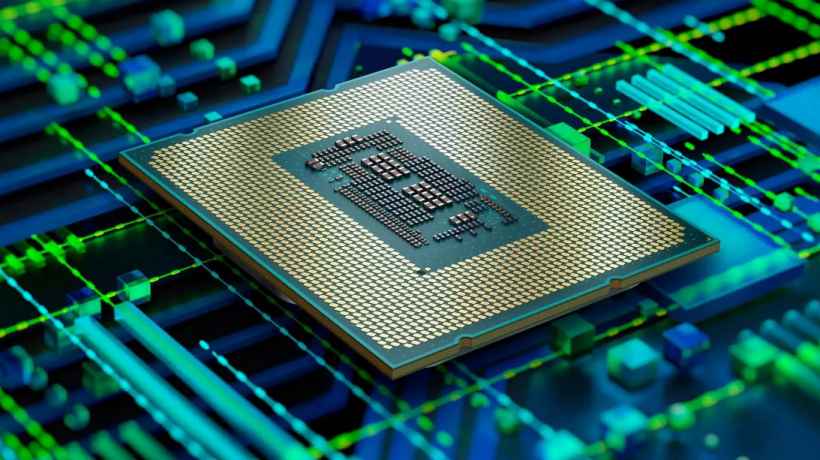
1. Ever Wonder How a Computer Really Works? (From Keypress to Pixels)
When you press the letter "A" on your keyboard, an intricate sequence of hardware and software events triggers across your system in fractions of a millisecond:
+------------------+      +-------------------+      +------------------+
| Physical Keypress| ---> | Voltage Interrupt | ---> | I/O Controller   |
| (Mechanical)     |      | (IRQ Line)        |      | (Scan Code '1E') |
+------------------+      +-------------------+      +------------------+
|
v
+------------------+      +-------------------+      +------------------+
| Display GPU      | <--- | OS Event Queue &  | <--- | CPU Registers &  |
| (Framebuffer)    |      | Window Manager    |      | Interrupt Vector |
+------------------+      +-------------------+      +------------------+
The Journey Step-by-Step:
- Mechanical Signal to Scan Code: Pressing a physical key closes an electrical circuit on the keyboard matrix. A microchip inside the keyboard converts this matrix coordinate into a numerical scan code (e.g.,
0x1Efor 'A') and transmits it over USB or Bluetooth. - Hardware Interrupt (IRQ): The host I/O controller receives the packet and signals a hardware interrupt request (IRQ) to the CPU. The CPU temporarily pauses its current execution context and jumps to an Interrupt Service Routine (ISR) defined in memory.
- Memory Data Transfer: The OS kernel reads the scan code from the hardware register, converts it into an ASCII/UTF-8 key event, and pushes it into the active window's input buffer in RAM.
- Application Processing: The active process (e.g., a text editor or web browser) reads the character from the event queue, updates its internal state array, and signals the rendering engine.
- Memory-Mapped Graphics (Framebuffer): To render the letter 'A', the rendering engine rasterizes glyph vectors into color pixels and writes these byte values directly into a dedicated region of memory called the Framebuffer.
- Pixel Display: The graphics processing unit (GPU) continuously scans the video memory framebuffer at 60Hz to 144Hz, sending RGB color voltage signals through DisplayPort/HDMI cables to illuminate specific light-emitting diodes on your screen.
2. The Core Mechanism: How Microprocessors Work
At their fundamental physical level, early microprocessors (and modern CPUs) do not "know" what text, windows, or web pages are. They are state machines that manipulate binary data stored in memory locations.
+-----------------------------------------------------------------------------------+
| THE FETCH-DECODE-EXECUTE CYCLE                                                    |
|                                                                                   |
|  +--------------------+      +--------------------+      +--------------------+   |
|  | FETCH              | ---> | DECODE             | ---> | EXECUTE            |   |
|  | Read instruction   |      | Convert instruction|      | ALU Operation /    |   |
|  | from RAM address   |      | opcodes to logic   |      | Memory Read-Write  |   |
|  +--------------------+      +--------------------+      +--------------------+   |
|            ^                                                        |             |
|            +--------------------------------------------------------+             |
+-----------------------------------------------------------------------------------+
Input/Output as Memory Manipulation
Historically, processors interacted with peripheral hardware through two primary mechanisms:
- Memory-Mapped I/O (MMIO): Hardware devices (keyboards, sound cards, video cards) are assigned specific physical RAM address ranges. Writing a byte to memory address
0xA0000000doesn't save a variable in system RAM—it directly changes a LED pixel color on a video display. - Port I/O (PIO): Specialized instructions (like
INandOUTin x86) read and write data directly to hardware bus lines connected to controller registers.
Every input (keypress, mouse movement) and every output (speaker tone, graphic frame) is fundamentally reduced to reading and modifying memory data structures via the CPU's Fetch-Decode-Execute cycle.
3. The x86 Processor Architecture
The x86 architecture (introduced by Intel in 1978 with the 8086 CPU and expanded to 32-bit IA-32 and 64-bit x86-64) is the dominant instruction set architecture (ISA) powering modern desktop computers and servers.
An Instruction Set Architecture (ISA) defines the abstract interface between hardware and software: the supported data types, register sets, and legal CPU operations.
+-----------------------------------------------------------------------------------+
| x86-64 REGISTER SET OVERVIEW                                                      |
+--------------------------+--------------------------+-----------------------------+
| General Purpose (64-bit) | Stack & Frame Pointers   | Control & Status            |
| - RAX (Accumulator/Return)| - RSP (Stack Pointer)    | - RIP (Instruction Pointer) |
| - RBX (Base)             | - RBP (Base Pointer)     | - RFLAGS (Status Flags)     |
| - RCX (Counter)          |                          |                             |
| - RDX (Data)             | Argument Registers       | Vector Registers (128-512b) |
| - RSI / RDI (Source/Dest)| - RDI, RSI, RDX, RCX     | - XMM0-XMM15 (SSE/AVX)      |
+--------------------------+--------------------------+-----------------------------+
Key x86 Concepts:
- Registers: Ultra-fast, internal CPU storage slots used to perform arithmetic and hold temporary values.
- Instruction Pointer (
RIP): Points to the exact memory address containing the next machine instruction to be executed. - The Stack (
RSP): A LIFO (Last-In, First-Out) memory structure used for function calls, local variables, and register preservation.
4. Binary Code vs. Assemblers
To execute code, silicon transistors require physical electric switches represented as binary bits: 0 (low voltage) and 1 (high voltage).
- Binary Code (Machine Code): The raw sequence of hex bytes or binary bits that the CPU logic gates parse directly. Machine code is completely unreadable to most human software developers.
- Assembly Language: A low-level, human-readable symbolic representation of machine code. Instead of remembering raw byte values, developers write human-friendly mnemonics like
MOV,ADD,PUSH, andRET. - An Assembler: A software tool (such as NASM, MASM, or GNU
as) that translates assembly mnemonics line-for-line into machine code opcodes.
+----------------------+         +--------------------+         +-----------------------+
| ASSEMBLY MNEMONIC    |  -----> | ASSEMBLER TOOL     |  -----> | MACHINE CODE / OPCODE |
| mov eax, 1           |  (NASM) | (1-to-1 Mapping)   |  (Bin)  | B8 01 00 00 00        |
+----------------------+         +--------------------+         +-----------------------+
5. A Simple x86 Assembly Code Example
Below is a minimal, annotated x86-64 assembly program written in Intel syntax. It adds two integers together and returns the result:
section .text
global add_two_numbers

; Function: add_two_numbers(int a, int b)
; Input: System V AMD64 ABI passes 'a' in EDI and 'b' in ESI
; Output: Return value stored in EAX

add_two_numbers:
    push rbp            ; Save the caller's base pointer on the stack
    mov  rbp, rsp       ; Establish a new stack frame

    mov  eax, edi       ; Move first argument 'a' (from EDI) into EAX
    add  eax, esi       ; Add second argument 'b' (from ESI) to EAX

    pop  rbp            ; Restore caller's base pointer frame
    ret                 ; Pop return address from stack and jump back
Line-by-Line Explanation:
push rbp: Preserves the memory address of the previous function's stack frame.mov rbp, rsp: Sets up the local stack pointer boundary for this function.mov eax, edi: Copies the first function parameter (stored in registeredi) intoeax.add eax, esi: Adds the second parameter (esi) toeax. The CPU's Arithmetic Logic Unit (ALU) updates internal status flags.ret: Finishes execution and returns control to the calling function, passing the value insideeax.
6. The Scalability Wall: Why We Need High-Level Languages
While writing assembly grants total control over hardware performance, writing entire application ecosystems directly in assembly is practically impossible for modern software scale.
Why Assembly Fails to Scale:
- Extreme Verbosity: Simple operations like printing text or performing matrix multiplication require dozens of manual CPU register operations and memory management instructions.
- Zero Portability: Assembly written for an Intel x86-64 processor will fail to run on an ARM64 Apple Silicon chip, a RISC-V microcontroller, or a WebAssembly browser runtime.
- Manual Memory Management Errors: Register allocation, stack alignment, and buffer bounds checking must be handled manually, leading to security vulnerabilities like buffer overflows.
To overcome these barriers, computer scientists developed high-level programming languages (such as Fortran, C, C++, and Rust) that abstract hardware registers into variables, functions, loops, and object structures.
7. The Compiler: Translating High-Level Code to Assembly
A compiler is a translation system that converts human-readable high-level code (like C) into target-specific assembly language, which is then assembled into machine binary code.
+-----------------------------------------------------------------------------------+
| THE COMPILATION PIPELINE                                                          |
|                                                                                   |
|  +--------------------+      +--------------------+      +--------------------+   |
|  | 1. PREPROCESSOR    | ---> | 2. COMPILER        | ---> | 3. ASSEMBLER       |   |
|  | Expands macros     |      | Generates Assembly |      | Creates object     |   |
|  | and includes       |      | code (.s file)     |      | binary (.o file)   |   |
|  +--------------------+      +--------------------+      +--------------------+   |
|                                                                    |              |
|                                                                    v              |
|                              +--------------------+      +--------------------+   |
|                              | EXECUTABLE BINARY  | <--- | 4. LINKER          |   |
|                              | (e.g., ./program)  |      | Combines libraries |   |
|                              +--------------------+      +--------------------+   |
+-----------------------------------------------------------------------------------+
Compiler Optimization Powers:
Modern compilers (like GCC and Clang/LLVM) do far more than line-by-line translation. They analyze program logic to perform complex optimizations:
- Loop Unrolling: Replaces iterative loops with vector instructions.
- Register Allocation: Automatically maps variables to the most efficient physical CPU registers.
- Dead Code Elimination: Removes unused functions and unreachable code branches.
- Instruction Reordering: Rearranges assembly operations to maximize CPU instruction pipeline efficiency.
8. Explore C to Assembly in Real-Time with Mitos.dev
Seeing how high-level code translates into underlying CPU assembly is one of the best ways to understand software performance, hardware architectures, and compiler behavior.
Use the interactive compilation environment:
👉 C Compiler Explorer Tool on mitos.dev
+-----------------------------------------------------------------------------------+
| MITOS.DEV C COMPILER EXPLORER WORKFLOW                                            |
|                                                                                   |
| [ Write C Code ] ---> [ Select Compiler & Optimization ] ---> [ View x86 Assembly ]|
|                                                                                   |
|                       🔒 100% Client-Side Compiler Execution                      |
+-----------------------------------------------------------------------------------+
Key Features:
- Interactive Side-by-Side View: Write high-level C functions on the left and immediately inspect the generated x86-64 assembly output on the right.
- 100% Client-Side Processing: Powered by modern WebAssembly porting—your source code compiles instantly in your browser without sending sensitive code to remote backends.
- Compiler Optimization Toggles: Test how compiler flags like
-O0(no optimization),-O2(balanced optimization), and-O3(vectorized optimization) dramatically alter assembly code structure. - Color-Coded Line Matching: Hover over lines in your C code to highlight their corresponding assembly instructions.
Understanding assembly language demystifies the bridge between abstract software logic and physical silicon hardware. Whether analyzing low-level memory layout, reverse-engineering software, or optimizing application bottlenecks, exploring the generated assembly output provides valuable insight into how software operates.
Inspect and analyze C code compiled directly to x86 assembly in your browser using the mitos.dev C Compiler Explorer!